Shortlist · 6 products compared
Cloud-managed network monitoring: no monitoring server to babysit
For teams who would rather not run a monitoring server at all — multi-site businesses, MSPs, and IT departments with no spare hands for patching another box.
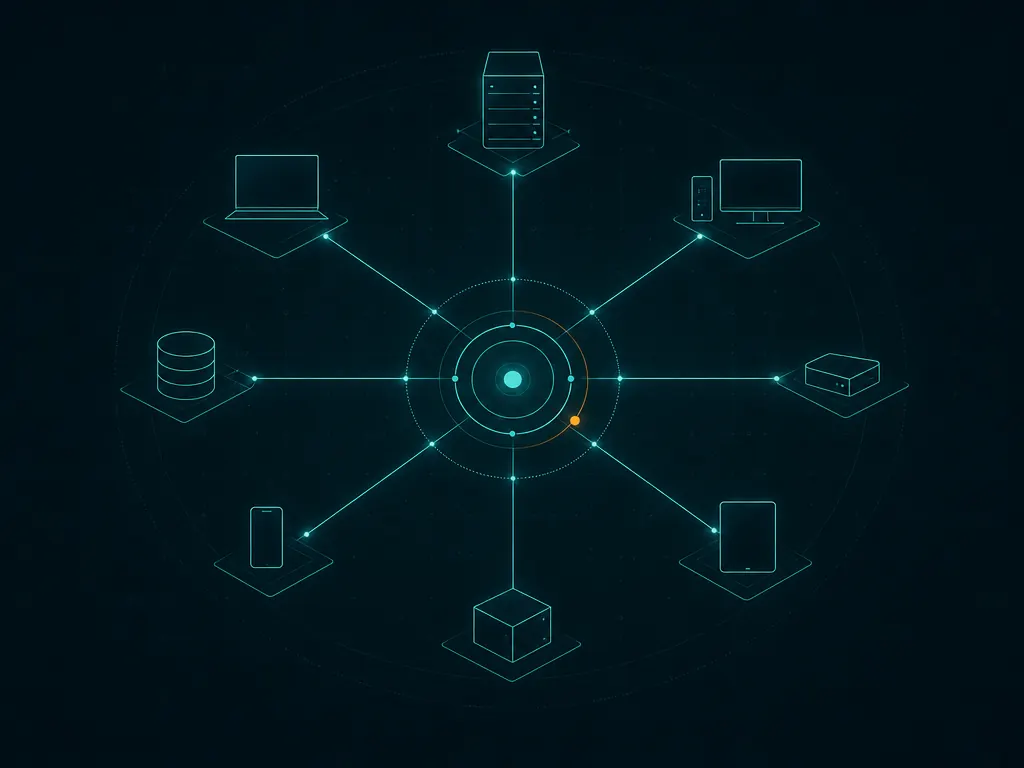
The pitch for cloud-managed monitoring is simple: someone else runs the database, the web console and the upgrades, and you place a small collector on each network you want watched. For a business with three branch offices and one IT person, that can turn a week of setup into an afternoon. It also changes what you are buying. You are no longer licensing software; you are renting a service, and the service’s availability, data location and renewal terms become part of the product.
This page compares six options that take different routes to the same goal. Some were built as SaaS from the start; others are established self-hosted products that now offer a vendor-hosted edition. We look at what the on-site collector needs, which checks still require local agents, how the subscription is counted, how long you get to evaluate, and what happens to your maps and history if you cancel. As with every shortlist here, the verdict labels are editorial and explained on our methodology page.
Verdict labels are editorial judgements against six buyer questions, not scores or user ratings. Read how we assess products before relying on them.
Side by side
The comparison table
Pricing is described as a model, not a figure: most vendors quote by estate size, and published prices change. Check each vendor’s pricing page before budgeting.
| Product | Licence | Pricing model | Deployment | Key feature | Best for | Verdict |
|---|---|---|---|---|---|---|
| AuvikAuvik Networks | Commercial subscription (SaaS) | Subscription per billable network device; quote-based | Cloud (SaaS) with an on-site collector | Automatic topology maps and config backup | Lean IT teams and MSPs looking after several sites | ShortlistFastest route to a useful network map; costs follow your switch and firewall count. |
| NinjaOneNinjaOne | Commercial subscription (SaaS) | Per endpoint subscription; quote-based | Cloud (SaaS) with endpoint agents | Endpoint management, patching and SNMP device checks in one console | IT teams that want endpoint and basic network monitoring from one vendor | SituationalExcellent if you are buying endpoint management anyway; thinner as a pure network tool. |
| PRTG Network MonitorPaessler | Commercial subscription | Subscription tiered by sensor count | Self-hosted (Windows Server) or vendor-hosted | One console for SNMP, flow, WMI and ping checks with ready-made maps | Small IT teams that want a single tool and a predictable annual bill | ShortlistEasy to budget once you know your sensor count; the counting is the hard part. |
| CheckmkCheckmk GmbH | GPLv2 Raw edition + commercial editions | Commercial editions: subscription scaled by monitored services | Self-hosted (Linux, appliance, container) or SaaS | Automatic service discovery driven by reusable rules | Linux-comfortable teams monitoring thousands of services | SituationalScales very well per euro spent, provided someone on the team likes Linux and rule sets. |
| ManageEngine OpManagerManageEngine (Zoho) | Commercial (subscription or perpetual) | Per monitored device, by edition | Self-hosted (Windows or Linux) | Broad device templates plus built-in workflow automation | Mid-size teams that want per-device pricing they can forecast | ShortlistStrong value per device; expect to spend time tidying defaults and alert rules. |
| SolarWinds NPMSolarWinds | Commercial subscription | Subscription scaled by monitored nodes; quote-based | Self-hosted (Windows Server + SQL Server) or SaaS observability | NetPath hop-by-hop path analysis and deep vendor coverage | Enterprises with a dedicated network team and a NOC | SituationalDeep and proven at scale, but the platform footprint and add-on catalogue need a real owner. |
Scale changes the answer
What buying looks like at three sizes
One collector, one site. Setup should take hours, not days — if it does not, that tells you something. Per-device and per-endpoint subscriptions are easy to estimate at this size.
Several sites, each with its own collector. Check whether collectors are included in the price, what hardware or VM they need, and how the console separates sites for different staff or clients.
Data retention, API limits and multi-tenant permissions start to matter. Ask how long raw metrics are kept, whether longer retention costs extra, and how alerting behaves when a collector goes offline.
Before you request a quote
A five-point buyer’s checklist
- Inspect the collector
Find out what the on-site component runs on, how it updates itself and what outbound connections it needs. A collector that needs inbound firewall rules is a design you should question.
- Know where the data lives
Ask which region stores your metrics and configuration backups, and whether you can choose. This matters for regulated industries and for client contracts if you are an MSP.
- Plan for an internet outage
If the site loses its link, the cloud console loses sight of it. Check whether collectors buffer data and whether the vendor distinguishes a dead site from a dead collector in its alerts.
- Read the unit of billing carefully
Billable network devices, endpoints and monitored services are all common units. Access points, IP phones and printers may or may not count; ask before you let discovery add them.
- Test the export before you depend on it
During the trial, export device inventories, maps and configuration backups. If you cannot get your data out easily in week one, you will not find it easier at renewal.
Self-hosted products with a cloud option
PRTG, Checkmk, ManageEngine and SolarWinds all offer some form of vendor-hosted or SaaS edition alongside their long-standing self-hosted products. That is useful if you already know the self-hosted tool, but the hosted editions do not always carry every feature or integration, and pricing can differ. Treat each hosted edition as its own product in your evaluation, and confirm feature parity for the checks you actually use rather than assuming it.
Where to go next
Vendor sites and deeper reading
- Auvik reviewDownload
- NinjaOne reviewDownload
- PRTG Network Monitor reviewDownload
- Checkmk reviewDownload
- ManageEngine OpManager reviewDownload
- SolarWinds NPM reviewDownload
Every “Official site” link goes directly to the vendor’s own website. None is an affiliate link and no vendor pays for its position — see our affiliate disclosure.
- ComparisonAuvik vs PRTG: cloud network management or all-round monitoring?
- ComparisonPRTG vs ManageEngine OpManager: sensor tiers or per-device licensing?
- ComparisonPRTG vs SolarWinds NPM: which monitoring platform fits your budget and team?
- GuideHow to estimate how many PRTG sensors you need
- GuidePer sensor, per device, per node: network monitoring pricing explained
- GuideNetwork monitoring requirements checklist for buyers (RFP-ready)
- GuideA 14-day plan for trialling network monitoring software
Questions buyers ask
FAQ
What is cloud-managed network monitoring?
A monitoring service where the console, database and processing run in the vendor’s cloud. A small collector or agent on your network gathers data from devices and sends it out, so you do not run or patch a monitoring server yourself.
Is cloud-managed monitoring secure?
Reputable services use outbound-only, encrypted connections from the collector and offer single sign-on and role-based access. Your own diligence still matters: restrict the collector’s credentials to read-only where possible and review the vendor’s security documentation.
Does cloud monitoring still need anything installed locally?
Yes, usually a collector per site and, for detailed server checks, an agent on each server. What you avoid is the central server, database and web console that self-hosted products require.
How are cloud monitoring subscriptions priced?
Typically per billable network device, per endpoint or per monitored service, billed monthly or annually. Many vendors publish only a quote form, so bring a device list broken down by type to get a comparable number.
Can MSPs use these tools for multiple clients?
Several products on this list are built with multi-tenant consoles for managed service providers. Check how clients are separated, whether billing can be split per client, and whether technicians can be restricted to specific sites.
Other shortlists: Network Monitoring for Small Business · Enterprise Network Monitoring · Discovery & Troubleshooting Tools. Starting a trial? Read how to start one safely from the vendor’s site.