Independent overview by Netops24 — not the official Checkmk GmbH website.
Enterprise Network Monitoring
Checkmk review — open-core monitoring priced by the service, not the device
Checkmk's open-source Raw edition versus its commercial editions, how per-service pricing scales to 1,000 devices, the appliance and staff-time costs, and what to test in the 30-day trial.
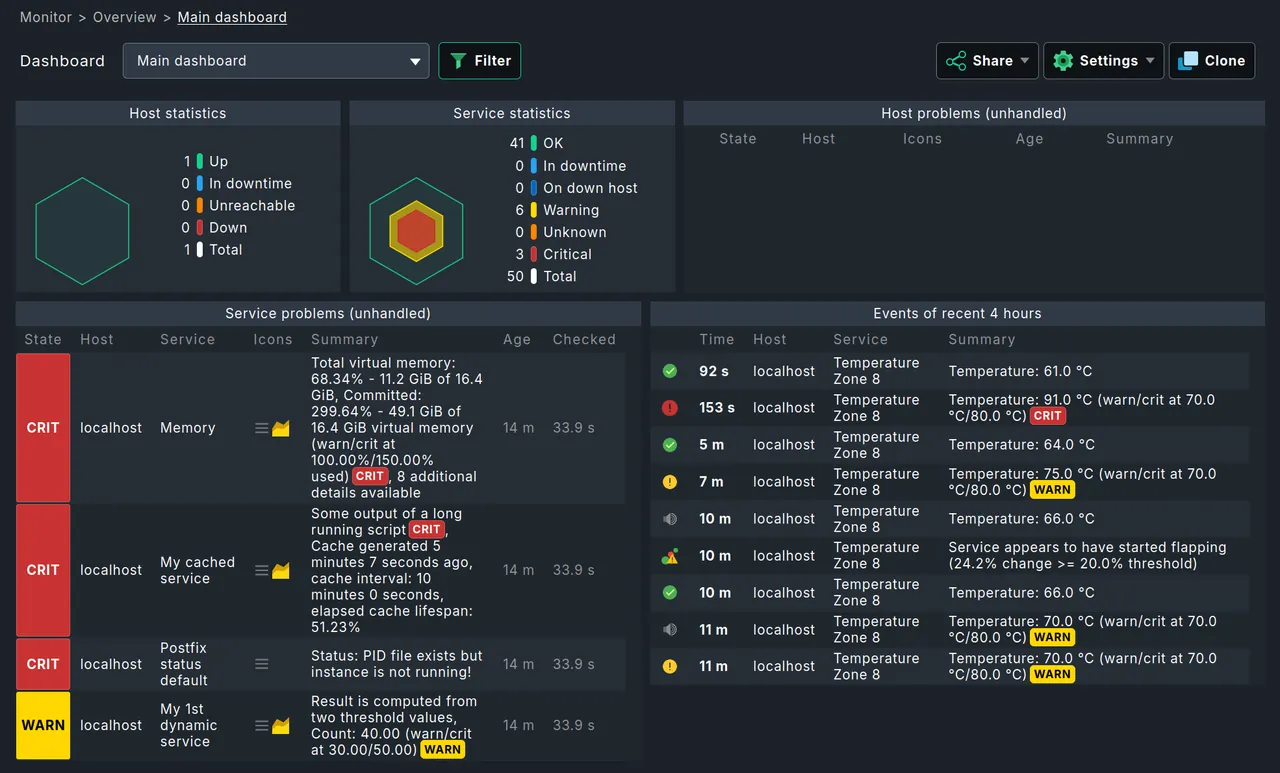
Checkmk tends to win evaluations inside teams that already live in a Linux terminal and are tired of clicking through Windows consoles. It also tends to confuse finance, because the thing you pay for is neither a device nor a sensor but a “service”. Picture the Raw edition and a commercial edition trial run side by side on a typical 350-host mix of Linux servers, Windows file servers, and Juniper and Cisco switching: this review is about translating that kind of service count into a budget line.
What it does
Checkmk, from Checkmk GmbH (formerly tribe29) in Munich, monitors servers, network devices, applications, cloud services and containers. Its agent on Linux and Windows hosts auto-detects dozens of checks in seconds; network gear is polled over SNMP; cloud platforms (AWS, Azure, Google Cloud) and Kubernetes are covered by special agents that query APIs. Each thing measured — a filesystem, an interface, a service, a certificate expiry — becomes a service on a host. It adds rule-based configuration, distributed monitoring across sites, dashboards, and flexible notification rules.
Where it is strong
- Automatic service discovery. Point it at a host and Checkmk finds what to monitor with sensible default thresholds. On a mixed few-hundred-host estate, that discovery process typically produces useful checks with almost no hand-tuning.
- Rule-based configuration. Settings apply to folders and tags rather than to individual hosts, so a 1,000-host estate is maintained through a few dozen rules.
- Performance. The core is efficient; a single modest VM handles thousands of hosts.
- Open-core option. The Raw edition, licensed GPLv2, is a genuine do-it-yourself baseline, and a later move to a commercial edition keeps your configuration.
Where it falls short, and who should skip it
- Network depth is average. Interface, CPU and hardware checks via SNMP are solid, but there is no topology-first view comparable to Auvik, and no NetFlow analysis in the core product.
- Learning curve. Rules, folders, tags and host labels are powerful but take a week or two to internalise. Windows-first admins may find it unfamiliar.
- Raw edition limits. The GPLv2 edition lacks features buyers often expect: the agent bakery (central agent packaging and updates), the faster monitoring core, some dashboards and reporting. Many teams start on Raw and move to a commercial edition when those gaps hurt.
- Linux server required. The monitoring server runs on Linux or as Checkmk’s own virtual or hardware appliance.
- Skip it if your team has no Linux skills, or if network traffic analysis is a core requirement.
Who it suits
Mid-size to large IT teams with Linux skills, mixed server and network estates, and a need to monitor hundreds or thousands of hosts with few people. It is popular with European enterprises, public sector and MSPs using its multi-tenant edition.
Licensing and what it costs at 50, 250 and 1,000 devices
Checkmk has an open-source edition (Raw, GPLv2) and commercial editions (for self-hosted enterprise use, cloud-focused use and MSPs), plus a SaaS option. Edition names have been revised in recent releases, so check the vendor’s site for current naming. Commercial editions are licensed by annual subscription priced by the number of services monitored, in bands. Prices are published on the vendor’s site at the time of writing — check the vendor’s pricing page for current figures.
Translating devices into services, based on typical ratios for a mixed estate:
- ~50 devices: servers produce 20–40 services each, switches 10–60 depending on ports. Expect 1,500–2,500 services. The Raw edition covers this well if staff time is available; a commercial subscription at this size buys convenience.
- ~250 devices: roughly 7,000–10,000 services. Here the agent bakery and reporting in the commercial editions start saving real time.
- ~1,000 devices: 25,000–40,000 services. Disable services you do not need (unused interfaces are the main culprit) before you negotiate; it can take a band off the price.
Hidden costs: the Linux VM or Checkmk appliance, training (Checkmk offers courses), and staff time designing rules. Lock-in is low to moderate: the configuration is in readable files and the Raw edition is open source, so you are never locked out of your own setup.
Running the 30-day trial
The commercial editions can be trialled for 30 days at the time of writing. Test three things: how many services your real estate produces (this drives cost), whether SNMP coverage fits your network vendors, and whether the agent bakery and reporting justify the step up from Raw. Our requirements checklist helps structure the comparison.
How it compares
Zabbix is the fully free alternative with more manual template work. PRTG is easier for Windows-first teams and priced per sensor. SolarWinds NPM goes deeper on network troubleshooting at higher cost. See the enterprise shortlist, the cloud-managed shortlist, and pricing models explained for per-service versus per-sensor maths.
Getting it safely
Get Checkmk only from checkmk.com. The vendor publishes signatures for its packages; verify them with its public GPG key and compare checksums before deploying. For the SaaS option, confirm the checkmk.com domain before signing up. Our where to get it page lists the verification steps.
FAQ
How is a “service” counted?
Every individual check on a host — each filesystem, interface, process or metric group — is one service. The Checkmk UI shows the total, which is the number your licence is based on.
Can we move from Raw to a commercial edition later?
Yes. The configuration carries across, which makes Raw a low-risk starting point.
Does Checkmk need agents?
On servers, yes, for the richest data. Network gear is polled agentless over SNMP, and cloud services via API.
Is there support for the Raw edition?
Community forums only. Vendor support, with defined response times, comes with commercial subscriptions — factor that in if the monitoring server itself is business-critical.
Before you start a Checkmk evaluation
Netops24 does not sell Checkmk and hosts no files for it. Start your evaluation on Checkmk GmbH’s own site, check the address bar shows checkmk.com, and read our where-to-get checklistfor what a trial sign-up normally asks for. Our verdict label is explained on the methodology page.